
Remote Control, Remote Support and Remote Access
Questions?
Call 1 (866) 459-2543
Call 1 (866) 459-2543
Remote Control Features
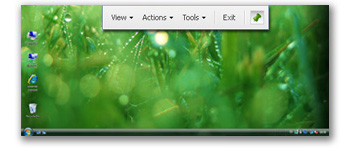
Immediate real-time visibility
Employ any of five modes for sharing or controlling a customer’s computer:
Total Control – Operator controls the customer’s computer
Observer – Operator views the customer’s desktop
Administrator – Operator has service level control with power to reboot and reconnect and maintain the session even after it has been closed
Desktop Share – Shared control of the customer’s computer
Demonstration – Online presentations, demonstration or training for up to five people conducted from the Operator’s desktop
Drag & drop two-way file transfer
Two-way file transfer allows Operators to easily transfer files to and from a customer’s system to apply patches, send URLs and updates, or receive log files from the end user during a remote control session. File transfer requires customer approval prior to each transaction for maximum security. In some cases – such as internal helpdesks -- this may not be necessary. It is possible to override the approval requirement in order to provide support in the way that makes the most sense for your business.
Service for unattended machines
Unattended remote control allows Operators to control, manage and administrate remote computers. Each NTRsupport license comes with five, free Installable Remote Controls (“IRCs”). The IRC can be temporarily or permanently installed on a remote machine. Once it is installed, the IRC provides full access to the computer or Pocket PC, including the ability to reboot/reconnect, and to log in with the level of rights needed to support that machine.
Reboot and reconnect
Operators can reboot a customer’s computer during a support session without losing the connection or control over the machine. NTRsupport seamlessly drops and then restores the connection, allowing Operators to use remote sessions to install applications, application upgrades, or patches on unattended computers. Reboot and reconnect is also useful in seeing non-saavy customers through product installations and upgrades that solve a reported problem.
Extensive system snapshot with remote diagnostics
Remote Diagnostics gathers technical information about the customer’s computer with a single click. Operators review current details about the operating system, service packs, IP configuration, free and total memory, and much more, quickly and easily without requiring help from the customer. Once collected, the diagnostic information can be saved, attached to a HelpDesk incident, or exported to standard formats for future reference.
Local printing for remote documents
Operators easily and quickly print documents stored on the remote machine with local printers to facilitate the troubleshooting process. No printer configuration required. Two print modes are available. Approval Mode prompts remote customers to accept or reject the remote printing requests. Unattended Mode suppresses the approval prompt when servicing unattended machines. To ensure customer privacy, Administrators control which Operators can use the remote printing feature in unattended mode.
Session record and playback
If a picture is worth a thousand words, think of how much a movie is worth. Operators keep detailed, visual accounts of the actions taken during remote control sessions using the session recording feature. A single click initiates recording. Playback can be used at any time; typically for technician or customer training sessions or for support operation auditing purposes.
Application selection
Application Selection allows the customer to control which applications the Operator can access during the remote control session. At the beginning of a session, the customer is prompted to select which of the currently running applications they wish togive the Operator access to. As an aid to selecting the applications, a helpful preview window lets them see how their screen will appear to the Operator. Customers remain in control during the session with the ability to change their selection at any time.