



Remote Control, Remote Support and Remote Access
Questions?
Call +44 (0) 1483 688155
Call +44 (0) 1483 688155
Features
256-bit AES Encryption
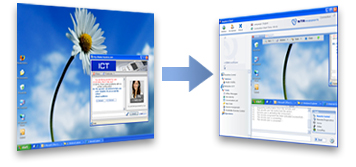
Security is an important issue with remote support users. All NTRsupport remote control sessions uses 256-bit AES end-to-end encryption and the implemented strict security measures that protect against unauthorized access to your data, programs and systems.
On Demand Remote Control
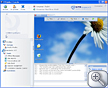
With the aid of the Remote Control feature, the support representative can view and take shared remote control of the customer’s computer in seconds. NTRsupport currently allows you to take remote control of any computer using Windows, MacOS or Linux.
Unattended Remote Control
NTRsupport’s unattended remote control feature allows your support representatives to control, manage and organize remote computers even if no one is present at the remote machine. Each NTRsupport license comes with 5 Installable Remote Controls (IRCs) free of charge. The IRC can be temporarily or permanently installed on a remote machine. Once installed, it will give the support representative full access to that machine, giving the ability to reboot/reconnect the machine, and to log in with the level of permissions needed to support that machine.
Reboot and Reconnect
The Reboot/Reconnect feature allows you to reboot and automatically reconnect the customer’s computer during a support session e.g. after installing updates or new applications.
Application Selection
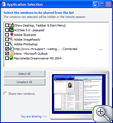
While in a support session and using the Application Selection Feature the operator or the customer – depending on the type of remote control setting – can select from a list of running applications, which application window(s) are to be shown and which ones are to be hidden. Once a remote control session is started, NTRsupport hides the remote computer's screen until the operator or customer has chosen which of the running applications they want to share.
Desktop Sharing
Give an online presentation, demonstration or training for up to 5 people from your desktop, with NTRsupport this is possible!
Multiple Session Capability
With one NTRsupport license, your support representative can hold up to five simultaneous remote support or live chat sessions, increasing the efficiency of your support team.
File Transfer
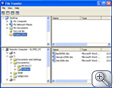
Easily transfer files to and from a customer’s system.
File Transfer Control
This new feature allows Operators to transfer files during a Remote Control session without asking the user’s permission for each file transfer. By default, NTRsupport’s file transfer is configured to require the customer’s acceptance prior to each file transfer for maximum security during the remote control session. However in some cases -- such as for internal help desks -- this may not be necessary, so we have given you the option to configure the file transfer feature to be used in the way that makes the most sense for your business.
VoIP and Videoconference
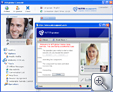
Reduce telephone costs by using our in-built VoIP capability. Let your customers see and hear you with NTRsupport, and bring the human touch back into remote support!
Support Incident Escalation / Session Transfer between Representatives
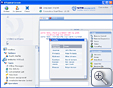
With the simple click of a button, support incidents can be transferred between your support representatives, decreasing the time associated with escalation and helping reduce incident backlog.
Administration Center
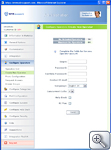
Each NTRsupport account comes with an Administration Center allowing you to customize the application interface; run metrics and statistics; create customized reports; group, manage and configure your NTRsupport licenses. With the NTRsupport Administration Center you can obtain complete reports on support representative activity (such as connection times, number of conversations established, messages answered, and the website pages from which the greatest number of queries have been made) and much, much more!
Remote Diagnostics
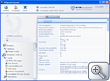
With Remote Diagnostics you can easily gather technical information about the customer’s computer such as details about the operating system, service packs, IP configuration, free and total memory etc.








If you wish to receive our news regularly in your e-mail inbox, simply sign up for our newsletter.


